
What to Do When a Resident Can't Press the Call Button
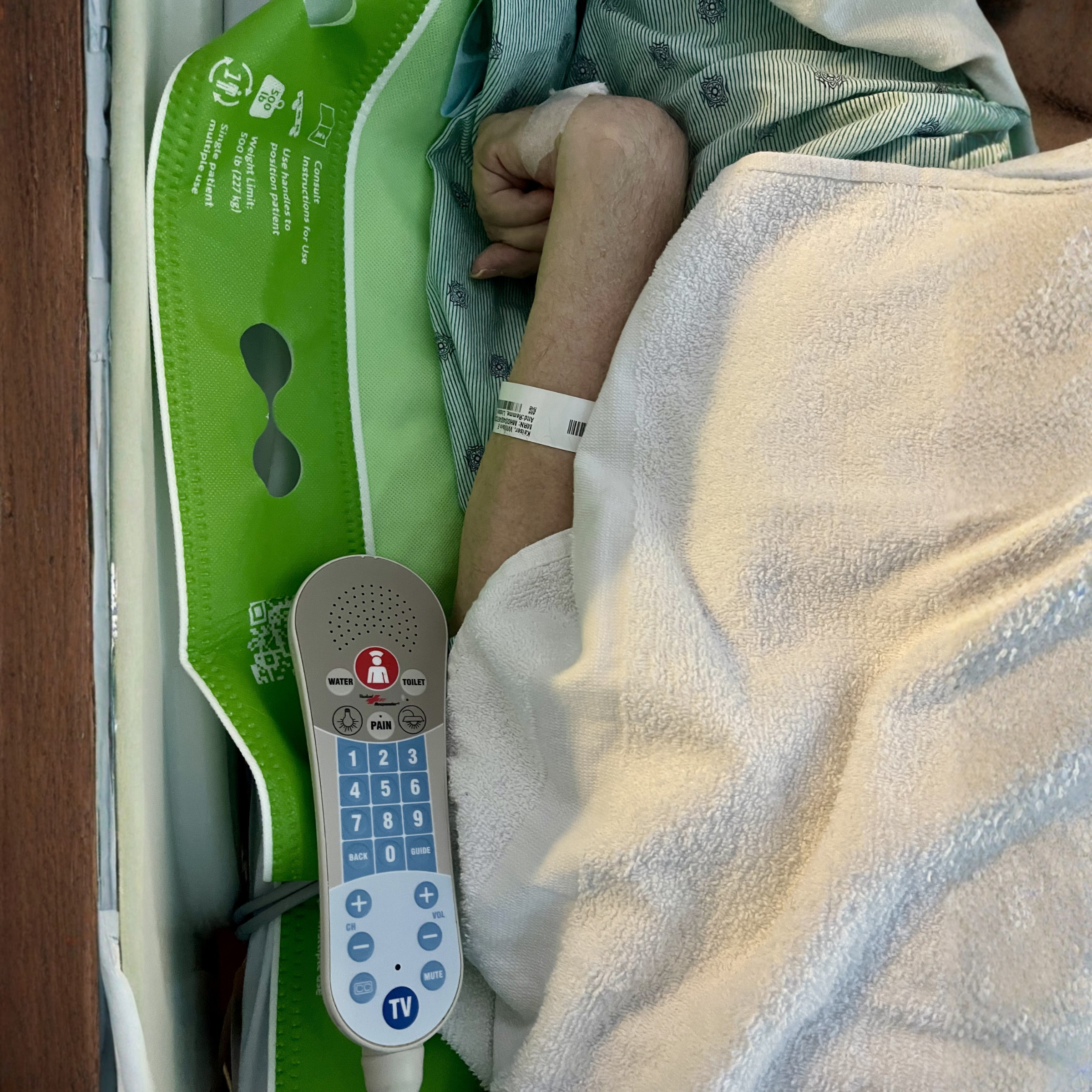
Patient with quadriplegia cannot access traditional call light devices
This guide is for directors of nursing, administrators, and occupational therapists responding to a specific resident who cannot reliably use the standard call button. It covers why this happens, what to assess, and what access options to consider before choosing one.
Why a Working Call Button Is Not Always an Accessible Call Button
The call button can be installed, powered, and functional, and still fail the resident who needs it. That is the access problem. The system works. The resident cannot use it.
If you have a resident who keeps dropping the cord, cannot reach across her body to press the pad, or can only activate the button on her stronger days, the first step is to name the access barrier clearly. The second step is to assess which capabilities the resident can still rely on. The third step is to choose an access method that matches those capabilities, document the decision, and reassess as the resident's function changes.
This article walks through that sequence.
Why This Happens: Common Reasons a Resident Cannot Reliably Press the Button
A standard call button assumes the resident can locate it, reach it, grip or press it, and sustain enough pressure to activate it. For many residents, one or more of those assumptions breaks down.
Common reasons we hear from facility teams:
- The resident has limited hand function and cannot grip the pear-style cord or press a small button.
- The resident has limited range of motion and cannot reach across the body to where the cord is clipped.
- The resident drops the cord and cannot find it again, especially at night.
- The cord slides under the resident or under the bed linens.
- The resident has a progressive condition (ALS, advanced MS, Parkinson's, corticobasal degeneration, DMD) and the access method that worked last month no longer works.
- The resident has good days and bad days, and the button is reliable on some shifts but not others.
- The resident has cognitive changes that make it hard to remember where the button is or what it is for.
These are not staff issues. They are design-fit issues. A device designed around a single physical motion will not fit every resident's capability profile.
What to Assess Before Choosing an Access Option
Before evaluating any specific product, assess what the resident can reliably do. This is the same lens an OT would bring to an adaptive equipment recommendation.
Six capabilities to check:
- Locate. Can the resident find the activation point without help?
- Reach. Can the resident move a hand, arm, or other body part to the activation point?
- Grip. Can the resident hold the device or cord?
- Press or activate. Can the resident generate enough force or motion to trigger activation?
- Sustain. Can the resident maintain contact long enough for the system to register?
- Voice. Can the resident speak a short phrase clearly and consistently?
The word that matters here is "reliably." A resident who can press the button on a good day but not at 3 a.m. when she is tired does not have reliable access. Surveyors assess access per resident, not per room (see CMS Appendix PP, F689). A working button in the room does not satisfy the access standard if the specific resident cannot use it.
When you map the resident's capabilities, you also have a record of why the standard setup is not adequate. That record matters for care planning and for documentation.
Access Options to Consider Based on the Resident's Capability
There is no single right answer. The access method should match what the resident can do reliably right now, and the plan should anticipate that capability may change.
Options facility teams commonly consider:
- Repositioning the standard cord. Moving the cord closer, clipping it to a different location, or using a longer cord. Works when reach is the only barrier and grip and press are still reliable.
- Larger or softer button pads. Easier to press for residents with limited dexterity. Works when the resident can still locate and press with reduced force.
- Pressure pads or touch pads. Activated by light pressure or touch rather than a button press. Useful when the resident can rest a hand or arm on a surface but cannot grip.
- Sip-and-puff systems. Activated by breath. Useful for residents with very limited motor function but intact respiratory control. Requires setup and training.
- Soft switches or adaptive switches. Mounted near a body part the resident can still move reliably (cheek, head, knee). Often configured with an OT.
- Voice-accessible call support. The resident speaks a phrase to activate the existing nurse call system. Useful when the resident can speak reliably but cannot press, grip, reach, or locate the button consistently.
- Increased rounding and staff monitoring. Often used as a short-term measure while a longer-term access method is identified. Not a substitute for an accessible call method.
Each option has a capability profile it fits and a profile it does not. A pressure pad will not help a resident who cannot move an arm. A sip-and-puff will not help a resident with respiratory weakness. A voice-activated option will not help a resident with significant speech impairment or unreliable phrase recall.
The right question is not "which is the best alternative." The right question is "which method matches what this resident can reliably do, today, and for as long as that capability holds."
Where Voice-Accessible Call Support Like Will-Call May Fit
Will-Call is a voice-activated nurse call accessory. The resident says "I need help," and Will-Call activates the existing compatible nurse call system, the same way a button press would. It is designed to give a resident another way to call for assistance when they cannot reliably press, grip, reach, or locate the standard call button.
Will-Call may be a fit when:
- The resident can speak a short phrase clearly and consistently.
- The resident can learn and retain the activation phrase.
- The resident's primary barrier is physical access to the button rather than voice or cognition.
- The room has a compatible nurse call system and connector.
Will-Call is not a fit when:
- The resident has significant speech impairment or cannot reliably produce the activation phrase.
- The resident cannot learn or retain the phrase due to cognitive changes.
- The room does not have a compatible nurse call connection (compatibility should be checked for the specific room and system).
Most Will-Call stories start the same way: one resident, one access barrier, one person on the care team who refused to ignore it. In published Will-Call success stories, facilities have used Will-Call for residents with ALS, advanced MS, Parkinson's, DMD, and other conditions where the standard button stopped working reliably. In several cases, setup details mattered, including microphone placement, cable adjustment, or an adapter for a legacy nurse call system. You can read those stories on the Will-Call success stories page.
For progressive conditions, the right access method may change over time. A resident with early ALS may still press a button reliably. Six months later, voice access may fit better. A year later, voice may no longer be reliable either. Reassessment matters more than the initial choice.
If you have a resident who cannot reliably press the standard call button, you can request a 30-day Test Drive of Will-Call to evaluate fit for that specific resident before any purchase decision.
Documenting the Access Barrier and the Response
When the standard button is not working for a specific resident, document three things:
- The access barrier. What can the resident not do reliably? Use the six-capability lens above. Be specific. "Cannot grip cord due to advanced rheumatoid arthritis" is more useful than "has trouble with the button."
- What was tried. Repositioning, larger pad, family-provided workarounds, increased rounding. Include what worked partially and what did not.
- The accommodation considered or implemented. The access method selected, why it fits this resident's capability profile, and the plan to reassess if function changes.
This record supports the care plan, helps the team respond to family concerns, and shows that the facility recognized the access barrier and considered a practical accommodation. It is also the kind of record that helps during a survey review of call system accessibility under F689.
Document at a cadence that matches the resident's stability. For progressive conditions, reassess more often.
Frequently Asked Questions
How do facilities document call light access barriers?
In the care plan, in nursing notes, and in any OT or rehab assessment associated with the resident. The documentation should name the specific capability barrier, the methods tried, and the access method selected. For residents with progressive conditions, include a plan to reassess.
Are there voice-activated nurse call options?
Yes. Will-Call is a voice-activated nurse call accessory designed to connect to a compatible existing nurse call system. The resident says a short activation phrase, and Will-Call activates the existing call pathway. It does not replace the nurse call system. Compatibility should be checked for the specific room and system before ordering.
Can a family request a different call button for their loved one?
Yes. Families often raise the access concern first, especially when they have watched a loved one struggle to use the standard button during visits. The care team can assess the resident's capabilities and consider adaptive options. Several Will-Call adoption stories began with a family advocate identifying the access problem.
Does a facility need to replace the nurse call system to add an adaptive option?
No. Most adaptive options, including Will-Call, are designed to work with an existing compatible nurse call system. Will-Call plugs into a compatible nurse call jack and activates the existing call pathway. In some setups, an adapter or extension cable may be needed.
What if the resident's condition is progressive?
The right access method may change over time. A method that fits today may not fit in six months. Build reassessment into the care plan. For residents with ALS, advanced MS, Parkinson's, DMD, and similar conditions, reassess more often than the standard care plan cycle.
Next Step
If you have a specific resident who cannot reliably press the standard call button, the practical next step is to map the resident's capabilities against the six-capability lens, then consider which access method matches that profile. If voice access fits, you can request a 30-day Test Drive of Will-Call to evaluate it for that one resident before any broader decision.
Sources
- CMS State Operations Manual Appendix PP — surveyor guidance on call system accessibility under F689
- CMS Accidents Critical Element Pathway — used by surveyors to assess assistive devices including call systems
- Call Light Use in Nursing Homes: A Scoping Review — research on call light usability and workflow
- Will-Call Success Stories — published examples of facilities responding to resident call access barriers